Beast of Reincarnation Performance — Best Settings for 1.1.01
Updated October 12, 2026 · Facts cross-checked against the sources listed below
engine.ini edit is obsolete and should be removed. On consoles, pick Performance mode (or Pro Enhanced on PS5 Pro). Patch 1.0.12 (Sep 17) makes the frame-generation options depend on your GPU (RTX 40 versus RTX 50), adds a target frame rate for DLSS-Dynamic on 120Hz-plus monitors, and fixes an unnamed set of “progression blockers related to event and boss battles” — and says nothing about stutter, DLAA, HDR, crashes, fullscreen or resolution options. 1.0.11 reorganised the upscaling menu so the default upscaler follows your detected GPU, fixed ultrawide event effects being cut off, and — outside the notes — Game Freak for the first time named the likely cause of the straight-to-desktop startup failures: security and app-control settings. Patch 1.0.9 (Aug 24) remains the big one for PC: native ultrawide support and frame generation (DLSS/FSR) both shipped, and the Game Pass upscaling blackout was fixed — so the ultrawide mod, the frame-gen mods and the TSR stopgap are all retired.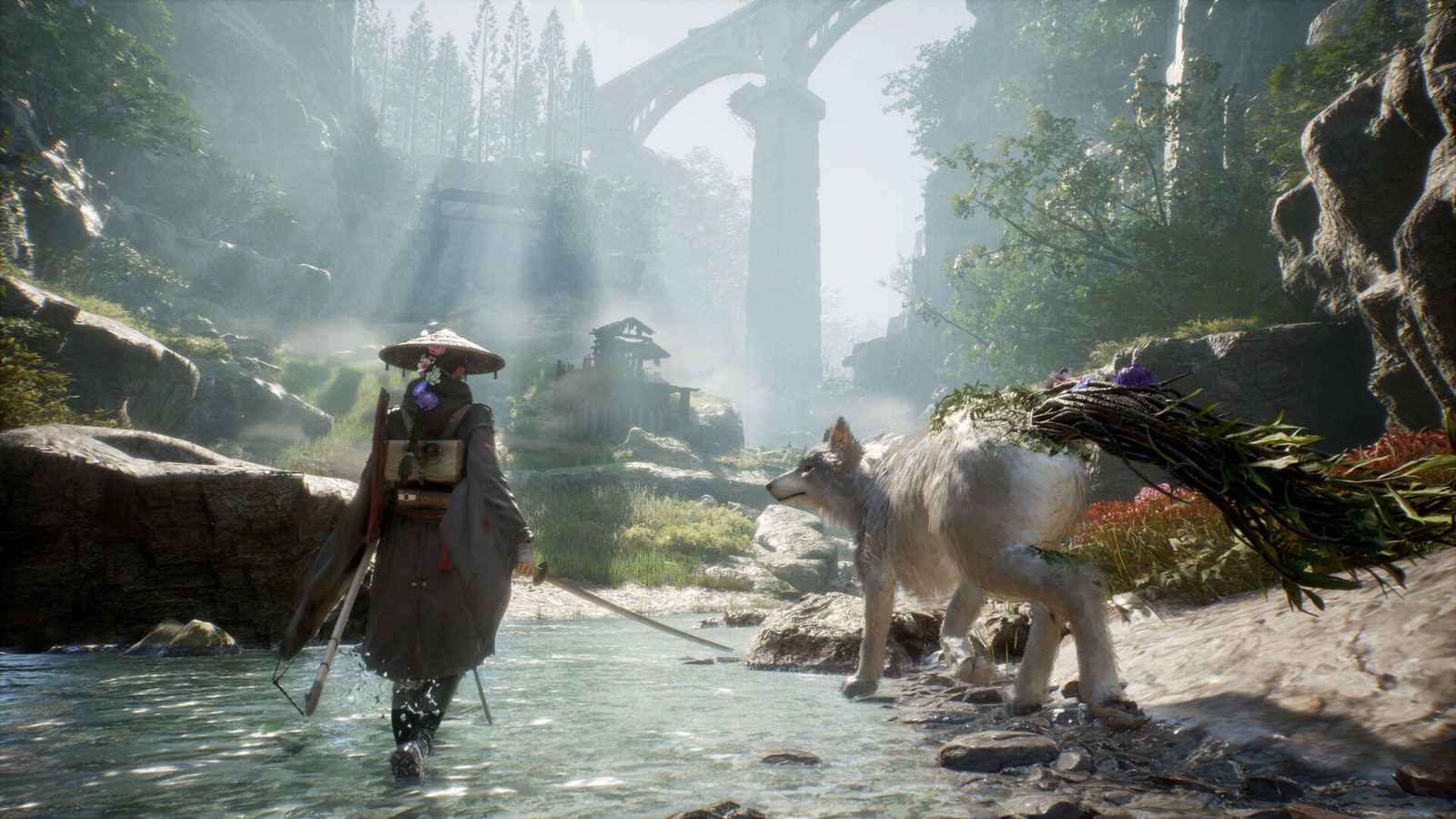
Best PC Settings
The game is VRAM-hungry — 8 GB minimum, 12 GB recommended. The highest-value changes:
- Upscaling: DLSS or FSR on Quality. Since patch 1.0.8 the full menu reads: Off, TAAU, TSR, AMD FSR 1, FSR 3, FSR 4, NVIDIA DLSS 3.7, DLSS 4.0, DLSS 4.5 L and DLSS 4.5 M — pick the newest your hardware supports; since 1.0.7 the setting sticks between sessions. One caveat since 1.0.11: if your frame rate feels pinned at roughly half what the hardware should do, try switching DLSS off and using FSR or TSR instead — see the DLSS section.
- Shadows, Foliage, Lighting, Effects, Volumetric Fog: Low or Medium — the biggest frame wins.
- Motion Blur, Depth of Field, Ray Tracing: off. Testing found no visible difference with RT enabled.
- Frame generation: available since 1.0.9 in the settings menu (DLSS and FSR variants), and since 1.0.12 the options you are offered depend on your GPU — RTX 40 and RTX 50 cards see different choices. Use it to lift an already-playable frame rate — it multiplies frames rather than reducing input latency, so reach for upscaling first if you are below ~40fps. On a 120Hz-or-faster monitor, DLSS-Dynamic now takes a target frame rate (1.0.12).
- Frame cap: 60 for consistency.
Fix the Blurry Image — There Are Toggles Now
Patch 1.0.10 (August 31, 2026) added in-game switches for both culprits. The official notes list “options to toggle Film Grain and Chromatic Aberration on and off”, plus a separate option to toggle Post-Processing in cutscenes. Turn them off in the settings menu and the soft, noisy look goes away.
This is the single longest-running complaint about the game’s image, and it took four patches. Worth noting how it went: it was absent from every official roadmap for three patches — we kept flagging that anyone claiming it was “coming” had no source — then appeared on the 1.0.9 planned list, then shipped in the very next patch.
The engine.ini edit is now obsolete. If you added these lines on our earlier advice, remove them — they will fight the new settings, and a config override is a worse way to control something the game now exposes properly:
r.FilmGrain=0r.Tonemapper.GrainQuantization=0r.SceneColorFringeQuality=0
On PS5 or Xbox? The toggles reached you one patch later: 1.0.11 (September 8) states the Film Grain and Chromatic Aberration options, and the cutscene post-processing option, are now “available on non-PC platforms”. The 1.0.10 notes never said PC-only, but that line implies consoles were without them for eight days ⚠ our reading of the two notes side by side.
Still blurry with the toggles off? Then it is not grain. Check your desktop resolution — a mismatched 4K desktop causes extra blur, and toggling windowed → borderless fixes it — and check your upscaler is not running at an aggressive preset.
Patch Status — 1.1.01 Is Live (Oct 9)
The eighth patch, 1.1.01 (1.012 on PS5), shipped on October 9, 2026. For this page it does two things. “Added a Field of View (FOV) adjustment setting in the Options menu”; the support-site version tags it (PC), and Game Freak’s community manager confirmed it the same day: “Adjustable FOV is in the patch that just came out.” And “Distributed effect generation processing load to improve overall game performance”, which is the “small additional performance optimizations” he mentioned on October 6. Nobody has posted before-and-after numbers yet ⚠ no measurements as of October 12. It also adds a setting to hide the cutscene skip prompt. Both texts contain none of the words DLAA, DLSS, HDR, frame gen, crash, stutter, fps, resolution, ultrawide or Steam Deck, so every other open item on this page stands. A player opened “DLAA still not fixed” that evening, and two comments under the announcement ask for better Steam Deck performance. By October 11 two players had confirmed that DLAA below native and the DLSS Quality reset both survive 1.1.01. The next patch, planned for October 19 (date not final), is the last in this phase of regular updates, so anything not fixed by then may wait a long time; Game Freak asks for support tickets.
The seventh post-launch patch shipped on October 1, 2026 — 1.1.0 on PC (1.011 on PS5). Its headline is difficulty (see the patch notes); for this page it does four things: “Fixed UI layout issues for players using ultrawide monitors and added proper support for ultrawide displays on the Skill Tree screen”; “Mitigated buggy behavior on the map screen when using mouse input while a controller is connected” — mitigated, not fixed; confirm inputs in the food-production menus now work on keyboard and mouse; and on the Steam Deck, loading delays between specific areas no longer drop you into the void. It also fixes audio cutting out during events and after fades to black. We searched both versions of the notes for stutter, fps, performance, DLAA, DLSS, HDR, crash, fullscreen, resolution and FOV and found none of them, so every other open item on this page stands. What has been said since, by the community manager on the Steam forums: “some small additional performance optimizations planned for the next patch” (October 6), and an FOV slider “planned for one of the next couple of patches. Next one should be quite soon” (October 7). One new crash report since the patch ⚠ one player; not reproduced: the game crashes every time the player falls into water and when climbing a tower in Ooi Colony. The community manager called it the first report of that crash and asked for a ticket.
1.0.12 (September 17, 1.010 on PS5) did three things, and none of them is a fix for anything below: “Frame Generation options now adjust based on your GPU (RTX 40 / RTX 50 Series)”; DLSS-Dynamic gains a target frame rate on monitors of 120Hz or higher; and “progression blockers related to event and boss battles across various zones” are fixed, with no zone or symptom named. What it does not mention — and we searched the full text for each word — is stutter, fps, DLAA, HDR, crashes, fullscreen, resolution, ultrawide or the Steam Deck. So every open item on this page is exactly where it was, with one caveat: if your problem is frame generation not engaging, the options have changed underneath it and you should re-test before assuming nothing moved.
1.0.11 (September 8, 1.009 on PS5) did four things for this page: the upscaling options were reorganised so that “appropriate default settings are applied based on the detected GPU” — the menu that forgot your choice at launch, went missing on Game Pass in 1.0.8 and lost resolutions for some displays after 1.0.10 now at least picks a sane default; the film grain, chromatic aberration and cutscene post-processing toggles arrive on consoles; event visual effects cut off at ultrawide resolutions are fixed; and Cloud Streaming tutorials that failed to progress are fixed. What it does not mention: the resolution-options reports below (re-test them — the upscaling change is adjacent), the NVIDIA driver crash, the laptop no-text bug, the xCloud slow-motion report, or the Steam Deck.
1.0.10 (August 31, 1.008 on PS5) brought the film grain and chromatic aberration toggles above, plus optimised performance during certain boss battles and a reduced rendering load for some visual effects. The launch logo now auto-skips if loading runs long, and a bug that made the sky render black is fixed.
1.0.9 (August 24, 1.007 on PS5) is still the patch that did the heavy lifting here, because it retired three community workarounds at once:
- Native ultrawide support. Game Freak says most ultrawide and super ultrawide monitors should now work. The Nexus ultrawide fix is no longer required. It also supplied an FOV slider, which the game itself only gained in 1.1.01 (October 9, PC).
- Frame generation (DLSS/FSR) implemented, switched on in the settings menu. The UE5 frame-gen enabler mods are now redundant on the Steam build.
- Upscaling restored on the Microsoft Store / Xbox PC build. The notes own it directly: the problem “was introduced in the previous patch and should now be resolved.” The TSR stopgap is over.
- Three named optimisation passes: boss attack effects, Bloom Arts command processing, and status effect visuals.
Still standing from 1.0.8 (Aug 15): native DLSS 4/4.5 (L/M) and FSR 4, camera distance options, and subtitle sizing. From 1.0.7 (Aug 9): the upscaler reset bug is fixed, V-Sync no longer breaks your resolution, and cutscenes default to Performance instead of 24fps Cinematic (a pre-existing Cinematic choice must be changed back manually). Full patch-by-patch breakdown on the patch notes page.
Resolution Options Are Acting Up After 1.0.10
Three separate reports in the two days after the patch, all about picking a resolution. Acknowledged on September 3 — Game Freak’s community representative replied in the “can’t change resolution” thread that “I believe the team is aware of this already”, asking for tickets “for visibility and prioritization”; we listed it as unacknowledged until September 10, which was wrong. Neither 1.0.11 nor 1.0.12 names it, but 1.0.11’s upscaling-menu reorganisation is the nearest thing to a response — if you were affected, check the menu again before assuming it is unchanged:
- A super ultrawide user gets “no options for scaling” — the game defaults to 1080 and will not offer 1440p.
- A 4K user reports the game forcing 4K, with 2K no longer selectable.
- A third thread is titled simply “can’t change resolution in game”.
⚠ three separate reports, none corroborated in detail; acknowledged as known, not fixed Worth knowing that 1.0.9 is the patch that added ultrawide support, so display handling is visibly still settling two patches in. If you are affected, setting the resolution from your desktop before launching is the usual workaround for a game that overrides it — but nobody has confirmed that works here, so we are not presenting it as a fix.
DLSS, DLAA and Frame Generation After 1.0.12
1.0.11 “reorganized” the upscaling menu so defaults follow your detected GPU; 1.0.12 (September 17) goes one step further and makes the frame-generation options themselves depend on the GPU (RTX 40 versus RTX 50), and adds a target frame rate for DLSS-Dynamic on 120Hz-plus displays. Neither patch calls anything here a fix, and the 1.0.12 notes contain no occurrence of “DLAA”, “HDR” or “fps”. Since 1.0.11, three reports have landed about that menu, all on NVIDIA hardware — and the two most recent point the same way, which is why this section is no longer just about DLAA.
The clearest account, from September 11: a player at 4K reports that “if dlss is used in any of the options from ultra performance to dlaa with or without frame gen the game stays at 50 to 60 fps the whole time… turning dlss off or using any of the other upscalers works at 116fps” — their frame cap. Read that carefully: it is not one preset misbehaving. It is the whole DLSS family, DLAA included, pinning the frame rate at roughly half, while FSR, TSR and TAAU run at full speed on the same machine ⚠ one detailed report, since re-attributed by its author; never reproduced; Game Freak has not commented. Update, September 15: the player who wrote that came back and re-attributed it. His one-line follow-up says the problem “happen[s] when HDR is ON” and calls it a frame-generation issue — no new numbers, no preset-by-preset retest. Read literally, that moves the only clean “DLSS pins the frame rate” report into the HDR-plus-frame-generation bucket further down, and leaves the “whole DLSS family at half speed” signature with no report still standing. We are keeping his original account above because it is the most precise description anyone has posted, but it should now be read as a symptom, not a diagnosis. If your frame rate feels capped since 1.0.11, switch off DLSS and try another upscaler — and, as of September 15, try HDR off too. Both are two-minute tests and between them they tell you whether you are hitting this.
The two earlier reports, which now read as the same story:
- DLAA is in the menu but reportedly is not native. A player posted on September 10 that DLAA is now an in-game option, but “its upscaling from 1920x1080 is not 100% resolution scale” — which defeats the point, since DLAA exists to run at native resolution. They add that neither the NVIDIA app override nor DLSSTweaks changes it: “Still unable to play in Native resolution using DLSS.” ⚠ one report, no replies yet; not acknowledged. If you chose DLAA for image quality on a 1440p or 4K screen, it is worth checking whether you are actually getting native rendering — and note that the September 11 report above puts DLAA in the same bucket as every other DLSS mode. 1.0.12 did not change this for him: within two hours of the Patch 6 thread going up on September 17, the same player posted “DLAA remains broken. Any plans to address this issue… now that an in-game option is added it still doesn’t work?”, and on September 22 a third player measured it on 1.0.12 (see the native-resolution item below). 1.1.0 does not change it either: four hours after that patch the same player opened “DLAA Still Broken”; the community manager replied “I’ll share this feedback with the team”, and since then one more player has confirmed it at 1440p, while the original reporter says selecting DLAA “is not a 100% resolution scale, its defaulting to scaling from performance mode” at any resolution, 4K included (checked October 8).
- Frame generation not engaging — now four players, and it is not the same thing as the DLSS frame-rate lock above. It began with one RTX 4070 Ti owner on September 10: enabled in the menu, but the Steam overlay never shows a frame-gen counter and the frame rate stays around 60 against a 120 cap. Game Freak’s community representative replied the same day: “I think it’s been working for most people? Not 100% sure, but we haven’t received many other reports like this to my knowledge. That said, it sounds like the team is still working on some further improvements to how it’s implemented, options, etc.” That last sentence was the new information at the time — frame generation is still being reworked, not finished — but the “not many other reports” part has not aged well. Two more players reported the same failure on September 12: one watched frame gen engage for a split second on load and then drop back, the other found that enabling it manually in the config “does nothing”. The representative answered all of them together that day, and this is the exact status: “Really sorry to hear you’re all having these issues. I will pass this feedback along, but if you have time to submit a ticket… it’s really helpful for getting official reports logged and helping the team prioritize the most common issues.” That is a reply, not an acknowledgement.Nothing has been confirmed as a bug and no fix or ETA exists. Keep this separate from the 50-60fps DLSS lock — and on September 13 and again on September 15 that lock got weaker, not stronger. The player who opened the thread came back and re-classified his own problem: “The issue (at least for me) is actually the same of the user Wildchants” — frame generation failing to engage, not the frame-rate pin. That left the clean “DLSS-at-any-preset-pins-to-50-60fps” signature resting on one report; then on September 15 the author of that one re-attributed his to HDR as well (see the HDR item below). The signature now has no report left standing. We are spelling that out because we spent two days looking for a third report to firm this up and what arrived instead was two retractions — which is the honest outcome to publish ⚠ both reports re-attributed by their own authors; none standing. He did offer something useful on the way out, which we can report but not endorse: “I started using OptiScaler, in order to get FG (and also proper DLSS settings, because I realized the DLSS options seem not to really change anything in the game)… And that works.” ⚠ one player, no before-and-after numbers, third-party tool. Before assuming it is broken for you, remove any frame cap below your monitor’s refresh rate — another player’s first question in that thread, and the reporter had not yet tested it. And re-test on 1.0.12: the September 17 patch says “Frame Generation options now adjust based on your GPU (RTX 40 / RTX 50 Series)” — not described as a fix, but it is the first change to frame generation since 1.0.9 shipped it, and none of the four reporters has posted a before-and-after since, checked October 8 ⚠ options changed; no before-and-after from any affected player.
- DLAA is not rendering at native resolution — three players now, and the first measured numbers on 1.0.12. This one is older than 1.0.11 and is not the frame-rate regression above, so we keep it apart. The original reporter has said since release that “DLSS simply isn’t rendering at native resolution when using DLAA”; on September 13 a second player independently hit it and pinned the scope down — Quality, Balanced, Performance and Ultra Performance all scale correctly, and only DLAA misbehaves, landing near Performance-mode internal resolution. The two of them are on 1440p and 4K respectively and get different ratios, which is consistent with a scaling bug rather than a fixed override ⚠ two players, no capture tooling. Forcing DLAA with NVIDIA’s app reportedly disables DLSS entirely and the game falls back to TAA. Update, September 22: a third player posted exact internal resolutions from 1.0.12, with screenshots, in the official feedback thread. On a 1440p monitor DLAA renders at 1552×873 and upscales to 2560×1440 — about 61%; on a 4K monitor it renders at 1920×1080 — exactly 50%, the same 1080p base the original reporter described. DLAA is supposed to be 100%. One disagreement to keep in view: this player says the problem “started in 1.0.11.0 and is still happening in 1.0.12.0”, while the original reporter says DLSS has not rendered natively since release ⚠ three players; screenshots from one; start version disputed; no official reply. Still broken after 1.1.01: on October 11 the player with the screenshots said it is “still broken in 1.0.12.0, 1.1.0.0, 1.1.1.0” — the last being the PC build number of the October 9 patch — and a new thread titled “DLAA still not fixed” opened the evening that patch landed . Until a patch mentions it, if you want native-resolution anti-aliasing, DLAA in this game is not delivering it — compare the internal resolution yourself before trusting the menu label.
- The first properly measured frame-gen number, and it is bad news for HDR users — and since September 15 a second player points the same way. The same player measured, at 1440p: 110-114 fps with frame generation plus HDR, against 150 fps with HDR alone. Frame generation is running — the DLSS overlay confirms it — and it still costs about a quarter of the frame rate when HDR is on, while it “properly doubles frames with HDR off”. That is the only before-and-after anyone has posted on this, and it points at HDR rather than frame generation being the expensive part. On September 15 the 4K player behind the September 11 “50-60fps with DLSS” report added a one-line update — the problem “happen[s] when HDR is ON” — with no numbers, but the same direction from a second machine; on September 16 the other player in that thread said he had read the same HDR explanation in a separate recent thread, which is corroboration for the theory and still not a measurement. On September 27, under the 1.0.12 announcement, a third player on an OLED screen said that since the patch frame generation “decreases frames instead of increasing” and that “only disabling HDR fixes the issue” — the first report of it on 1.0.12, again without numbers ⚠ one measured report at one resolution, plus two unmeasured reports pointing at HDR; no capture tooling. Still there after 1.1.0: on October 2 to 4 three players argued it out in the frame-generation thread — one reports, in one area at 4K, 70-plus fps with frame generation off, about 120 with frame generation x2 and HDR off, but 60 with frame generation x2 and HDR on, and says the game “is actually trying to generate the frames… but there’s no generated output”; another found NVIDIA Smooth Motion works with HDR on where the in-game option does not. On October 7 a player asked the official bug thread whether it had been fixed; no official answer, and the 1.1.0 notes do not mention HDR or frame generation. On October 8, under the 1.1.0 announcement itself, a player on an RTX 5080 laptop wrote that DLSS and frame generation “straight up doesn’t work with HDR turned on” and that he has to fall back to AMD FSR 3, which “looks bad” — no numbers, but the first report posted on the patch’s own announcement. If you run HDR and frame generation together and the numbers feel wrong, try turning HDR off before you blame frame gen.
Earlier 1.0.9 Reports Worth Watching
The patch is new, so these are first-day player reports rather than confirmed bugs — we are listing them because two of the three land on the PC Game Pass build, which is exactly where 1.0.8 broke upscaling:
- Frame generation reportedly not working on Game Pass, along with bad screen tearing when capping to 60fps ⚠ one player report.
- Texture pop-in on xCloud — objects failing to load textures properly ⚠ one player report.
- Ultrawide cutscenes are still not reframed after 1.0.11 — now several players, not one. The original report said gameplay is fine but cutscenes look cropped to fill the panel. 1.0.11 fixes “event visual effects cut off when using ultrawide resolutions” — effects, not framing — and players on 32:9 have since confirmed the difference in practice: cutscenes still show as stretched 16:9. One on a Samsung Neo G9 describes them as looking like “720p upscaled to 4k” and wants to drop the whole game to 3840x1080 to compensate ⚠ four reports since 1.0.11, one of them a general “please fix ultrawide” request. That feeds a separate ask now coming from five players — the fourth, on September 15, an RTX 5080 owner who says he has gone back to playing his PS5 copy instead; the fifth, on September 19 under the 1.0.12 announcement, asking for “a proper resolution slider” because 100% “really feels like its locked to 80” — for a true exclusive-fullscreen mode or a selectable resolution, which the game still does not offer. On September 26 a player at 5120×1440 added, under the 1.0.12 announcement, that enemy health bars still do not appear and that several cutscenes, such as the ones after the Chapter 2 and 3 bosses, are “so zoomed in it’s hard to tell what’s going on” — asking for an option to play them at their normal aspect ratio ⚠ one player, 1.0.12. 1.1.0 (October 1) fixes “UI layout issues for players using ultrawide monitors” and the Skill Tree on ultrawide, which one player confirmed the next day; whether that covers the missing health bars is not stated, and the 5120×1440 player has not posted since ⚠ health-bar fix untested. Cutscene framing is not mentioned: on October 2 a 7680×2160 player asked again under the new patch thread for fullscreen resolution choices because cutscenes render small and stretch, and the community manager asked for a ticket, saying “we’ve heard similar feedback from several other people.” If you are on 32:9, expect stretched cutscenes until a patch says otherwise.
- A boss fight that will not start — officially noted, then left unanswered. One player has reported since late August that a boss encounter simply freezes instead of beginning, and says it persisted through 1.0.9, 1.0.10 and 1.0.11. Game Freak’s community manager replied twice under the patch announcements: first that “this could be a new one”, then on September 8 that if a ticket was already filed “I’ll resurface this with the team and point them to it.” The player then did something genuinely useful — tested on a second device still on the launch version, where the fight did start but the boss took no damage, and after updating that device to 1.0.10 got the same freeze as on his PC. That is a version-by-version comparison across two machines, and as of October 8 it has gone twenty-eight days without a reply. On September 15 the player posted again under the 1.0.11 announcement, this time asking the next patch for “the ability to reset the Fuji map — even if it means losing all the secrets” because “I still have this bug, and it won’t let me progress” — a request, not a workaround, and unanswered too. Two days later 1.0.12 shipped with the line “Fixed progression blockers related to event and boss battles across various zones” — which names no zone and no boss, so it may be his fix or may not. 1.1.0 (October 1) adds another unnamed line, “Fixed issues in certain boss fights where attacks would fail to hit”, along with enemies that“would freeze or become unresponsive” — closer to his description than anything before it. He has not posted since September 15, checked October 8, and nobody else has claimed the same freeze ⚠ one player; posted in the patch-announcement comments; the exact encounter is from his earlier forum report and not independently reproduced. If you hit a boss that will not start, keep a manual save from before the arena and file a ticket — that is the route the community manager asked for.
- Crashing since 1.0.9? Roll back your NVIDIA driver — the fix is confirmed. This started as two competing theories and now has an answer. A player getting a GPU crash dump at launch after 1.0.9 (“had no problems on the previous version”) was told to revert their NVIDIA driver, tried it, and reported back: “Thx that worked.” That is the affected player confirming their own fix, not a bystander guessing.
- Do this first: roll back your NVIDIA driver. It costs nothing and keeps full performance. Do not fixate on one version number — the two reporters name 616.56 and 615.56 as the problem driver, so at least one is a typo and the real lesson is simply “a recent driver”. One of them reverted to 610.88 successfully.
-dx11is a diagnostic, not a fix. It launches the game, but the player using it says performance is bad afterwards. Use it to confirm the crash is renderer-related, then do the driver rollback.
What it probably is: every reporter was fine on 1.0.8 and broke on 1.0.9, on NVIDIA with a recent driver — which points at an interaction between the new build and the driver rather than either alone ⚠ our reading of three reports; Game Freak has not commented, and no AMD-side report has appeared either way. That matters practically: it is why rolling the driver back works even though the game is what changed.
“I don’t want to roll back my driver” — fair, and the third reporter said exactly that. A rollback costs you fixes and features in every other game, so if you would rather not, this is the honest set of options:- Play on
-dx11in the meantime. It launches and it is stable; the trade is the poor performance noted above. - Send Game Freak the crash dump. Their support site asks for a ticket with your CrashDump attached, and gives the folder:
C:\Users\YourUsername\AppData\Local\CrashDumps. This is the only route that gets it fixed properly rather than worked around — and with three reports it is worth doing. - A BIOS update is the other official suggestion, though note that article was written before 1.0.9 and is generic crash advice, not a response to this one.
Unrelated but often confused with it: the launch-week freeze on the Fictions logo (Windows 11, several reports in the first three days) is a different failure. 1.0.10 added a fix that reads like a response to it — the launch logo now “automatically skip[s] to the next screen if loading takes too long” — but nobody in that thread has confirmed whether it helped ⚠ our reading of the patch note; no player confirmation.
None of these are corroborated yet. If you hit one, Game Freak explicitly asked for ultrawide and Xbox PC upscaling reports in the 1.0.9 notes — this is the rare window where filing one is useful.
Known Bugs and Workarounds
- No text in the menus, map, inventory or skill tree? Launch with -dx11 — this is a launch-week laptop bug that is still open. Since August 5 at least five players have reported the game running fine but with most of its text simply missing — menus, map, inventory, skill tree — surviving reinstalls and every settings change. Every report comes from a laptop with both an integrated and a discrete GPU, and Game Freak’s community representative reads it the same way: “this ‘no text’ issue seems to only be affecting people with laptops running both a discrete and integrated GPU” — rare, cause not pinned down, passed to the team. Two things have been tried:
- Forcing the dedicated GPU at system level — reported to work for one player and not to work for another, so worth a try but not reliable.
- Adding
-dx11to the Steam launch options (right-click the game → Properties → General) — proposed by an affected player on August 14 and confirmed by a second on August 15: “DX11 works for this bug.” The trade is the same as for the crash workaround above: DX11 runs worse.
- DLSS “Quality” resets to “Automatic” every launch — two players now, and still there after 1.1.01. The same player who measured DLAA above says that when DLSS is set to Quality, it “resets back to ‘Automatic’ every time I close and launch the game”, starting in 1.0.11 and unchanged in 1.0.12. They also say 1.0.11 removed the Ultra Quality preset, with Ultra Performance in its place. The official 1.0.11 notes only say the upscaling options were “reorganized… to ensure appropriate default settings are applied based on the detected GPU” — which would fit a default being re-applied at launch, but that is our reading, not Game Freak’s ⚠ one player; not reproduced; no official reply. Update, October 12: a second player independently described the same thing on October 10 in the “DLAA still not fixed” thread — “I had to set DLSS to quality after each game start. It can’t even remember this setting and always reverts to auto which for me means performance (50% scale)” — and added a detail the first report lacked: “It remembers DLSS mode if its set to DLAA”. On October 11 the first player said it is still happening in 1.1.0 and 1.1.01; neither patch’s notes mention DLSS ⚠ two players; not reproduced; no official reply. If your image looks different after a restart, re-check the DLSS preset before changing anything else — Automatic can mean Performance, which renders at half resolution on each axis.
- DLSS resets to FSR 1 every launch — FIXED in 1.0.7. This bug is why “the game only supports FSR 1” spread at launch; the game always shipped DLSS 3.7 and FSR 3.0, it just forgot your choice. With the reset fixed, the “DLSS Startup Fix” mod is now redundant — you can remove it.
- DLSS 4.5 / FSR 4 mods — now obsolete (1.0.8). Native support shipped on August 15. Remove the DLL-swap mod and any OptiScaler FSR 4 forcing and select the new options in-game; stacked on top of native support they can only cause conflicts.
- Can’t select an upscaler? There are two different causes — check which one you have. They look almost identical in the menu and have completely different answers.
- One upscaler is greyed out as “(Cannot be Set)” while the rest work — that is vendor locking, not a bug. The 1.0.8 menu lists every upscaler on every system but greys out the ones your GPU cannot run: on an NVIDIA card, FSR 4 sits in the list marked “(Cannot be Set)” — we verified this on menu footage — and the DLSS entries are presumably locked the same way on AMD hardware ⚠ NVIDIA side verified on footage; AMD side inferred. No settings change unlocks them; it is a hardware requirement.
- DLSS missing entirely on PC Game Pass / Xbox — FIXED in 1.0.9. For nine days, the PC Xbox build had no DLSS option at all on NVIDIA cards that plainly support it (RTX 4070 and 5060 Ti among the reports) — a real bug, not the vendor locking above. A developer-badged Game Freak account confirmed it in the Steam forums (“something went wrong with the DLSS changes on the PC Xbox build specifically”), and the 1.0.9 notes fixed it with an unusually direct admission: the issue “was introduced in the previous patch and should now be resolved.”
If you are still missing upscaling on the Xbox PC build after updating, that is worth reporting — the notes specifically ask for it. The TSR stopgap is no longer needed; switch back to DLSS.
- Frame generation — SHIPPED in 1.0.9. DLSS and FSR frame generation are now in the settings menu. The Nexus UE5 frame-gen enabler mods (including the experimental XeFG one for the Game Pass / WinGDK build) are superseded — stacking them on native support only invites conflicts. One caveat: a Game Pass player reports frame gen not working for them on that build ⚠ one player report.
- Native ultrawide — SHIPPED in 1.0.9. 21:9 and 32:9 no longer letterbox, and Game Freak says most ultrawide and super ultrawide monitors are covered. The trade-off to know: the Nexus ultrawide fix also bundled an FOV slider, and the official implementation did not. That gap closed in 1.1.01 (October 9): the game now has its own FOV setting in Options, marked PC in the support-site notes, so the mod is no longer needed for FOV either.
- Film grain and chromatic aberration toggles — SHIPPED in 1.0.10, on consoles in 1.0.11. Four patches after launch, both are in the settings menu, along with a post-processing toggle for cutscenes; the fifth patch made them “available on non-PC platforms”. The
engine.iniedit is retired — remove it rather than leaving it to fight the new options. - “Couldn’t start … CreateProcess() returned 11C7” after an update? Check Windows Smart App Control. One player who had needed a firewall exclusion to launch the game on day one found it refused to start at all after the August 31 update, with that exact error, and reinstalling and verifying files did nothing. They traced it to Smart App Control in Windows Security blocking the updated executable. A second player posted the same 11C7 error on September 5 in a different thread, and on September 6 a third player, answering them, pointed at the same setting independently — Smart App Control blocks “games that were recently patched and where windows misses data that it is a trusted process”, which is exactly the situation a freshly updated executable is in. The second reporter has since closed the loop: after looking the answer up, the game “was working again the next day” and they finished it — without saying whether they changed the setting or simply waited, which matters, because a reputation-based block can clear on its own once Windows has seen the new file ⚠ the error string is reported by three players and all three cases are resolved; three players independently name Smart App Control (two fixed it that way, one from experience with other freshly patched games). And on September 8 Game Freak said the same thing, in public. Replying in that thread, the community representative wrote that this “has come up sporadically since launch and it usually seems to be related to security/app control settings”, and asked anyone still stuck after checking those to file a support ticket with their setup. That is the first official characterisation of the cause — not a fix, and not a patch item; neither 1.0.11 nor 1.0.12 mentions it. So the practical order is: check Smart App Control first, and if you would rather not touch it, try again the next day before doing anything drastic. Worth checking before you go near driver rollbacks — it is a Windows-side block, the game never actually starts, so do not expect a crash dump. Telling detail from the same days: three returning players reported on September 4–5 that the game now goes straight back to the desktop on launch, and one had already tried the NVIDIA driver rollback and running as administrator without success — so if the rollback does nothing for you, stop and check this instead. It came back after 1.0.12. On September 22, five days after that patch, a third player in the same thread hit “Create process () returned 11c7” — the game would not launch at all — and wrote that it “immediately worked” after turning off Smart App Control. That is the pattern this section predicts: a freshly patched executable, blocked on first launch. Expect it again after the next patch.
- The game hard-pauses and mutes the moment you alt-tab, and there is no option to change it. Not a crash, but the thread about it — opened in launch week — was bumped again the day after 1.0.11: “new patch update and this still isn’t in yet, and completely unaddressed.” Borderless window does not help, players report it pauses regardless, and the main menu is the one screen where it does not ⚠ several player reports; no official response, and no patch note has mentioned it. A third-party borderless-gaming tool is the only workaround suggested, and nobody in the thread has confirmed it works here. 1.0.12 (September 17) does not mention it either.
- Stuttering — acknowledged, and Game Freak wants tickets. On September 11 a player called the stutter “so bad in this game is almost unplayable”. The community representative answered with the first official framing of how widespread it is: “While most players have not had significant stuttering issues, I know some have. Can you submit a ticket… with as much detail about how/when you’re experiencing stuttering as possible, along with hardware/PC info? That will help the team identify whatever’s going on and compare against other user reports.” So: not denied, not yet diagnosed, and the team is explicitly collecting cases. If you have it, a ticket with your hardware is the single most useful thing you can do — there is no published workaround yet, and the UE5 traversal stutter described further down is a different, known-by-design problem.
- September 12 — the strongest stuttering evidence so far, and it points away from the popular theory. The player who reported it did the thing almost nobody does: he tested a second machine from a different vendor. His own is an i7-14700K with an RTX 5080; his wife’s is an AMD Ryzen 7 7700 with an RTX 5070, and “it has the same problem”. His conclusion: “I don’t think it’s an isolated issue if the same problem persists on 2 PCs, one Intel and the other AMD, both with good graphics cards and decent processors.” He also pinned down what the complaint actually is: “I play at 4K and FPS are good, the issue is the constant stuttering” — this is frame pacing, not frame rate. Why it matters: the loudest theory in that thread blames 13th/14th-generation Intel instability, and a clean reproduction on an AMD platform is evidence against it ⚠ one user, two machines, no frame-time capture published. Game Freak’s representative replied the same day asking him to append the second-machine result to his existing ticket — still the only route on offer.
- September 15 — a third high-end report, and one untested suggestion. Under the “Patch 5 is Now Live” thread an RTX 5080 / i9-13900K owner describes constant stutter, “especially when entering new zones”, with the frame rate going “from 200 to 43 while in combat”; he blames shader compilation, which is his guess rather than a measurement, and says he has moved to his PS5 copy in the meantime. That makes three RTX 5080 systems with the complaint. In the bug-report thread the same day another player suggested turning off Control Flow Guard for the game’s executable under Windows Exploit Protection; the two-machine reporter above said he would try it and doubted it would help, since the problem is exclusive to this game. On September 16 that two-machine reporter listed fifteen other DX12 titles — Onimusha, Black Myth: Wukong, Alan Wake II, Cyberpunk 2077 and Elden Ring among them — that run without stutter on the same hardware, and has not said whether he tried the Control Flow Guard change. Nobody has confirmed it works ⚠ one new report; one suggested workaround with no confirmation. Still no official reply beyond the ticket request, and the 1.0.12 notes of September 17 contain no line about stutter or frame rate.
- Larger text does not reach every item description — one report, September 16. A player filed an accessibility report with screenshots: after enlarging the text, item descriptions in the Arrows and Bolts sections still render at the old, smaller size while the rest of the menu has scaled up. He does not say which setting he used; the only official size option, added in 1.0.8, is documented as applying to event and cutscene subtitles, with gameplay subtitles capped at Medium ⚠ one report with screenshots; not reproduced. No workaround has been posted, there is no official reply, and 1.0.12 (September 17) has no text-size or subtitle line.
- Mouse stops responding mid-session — one report, September 18. A player in the bug thread says that some time after the tutorial the mouse stops working entirely, alt-tabbing does not bring it back, and only unplugging and replugging it does — a cycle that repeats within about a minute. He wonders whether it matters that the mouse is connected through his keyboard. No reply and no second report as of October 8; 1.1.0’s mouse fix is about the map screen with a controller connected, which is a different symptom ⚠ one report; not reproduced; hardware path unknown.
- Low GPU usage / low FPS: set Prefer Maximum Performance in NVIDIA Profile Inspector; on 13th/14th-gen Intel crashes, update BIOS and VC++ runtimes.
Which Console Mode to Pick
| Platform | Recommendation |
|---|---|
| PS5 | Performance (60fps). Quality mode has no 30fps cap and fluctuates. |
| PS5 Pro | Pro Enhanced — near-locked 60 after the day-one patch. |
| Xbox Series X | Quality with a VRR display; Performance without VRR. |
| Xbox Series S | Performance — softer image but holds 60. |
The game offers a cinematic mode that locks cutscenes to 24fps for a filmic look — gameplay is unaffected ⚠ secondhand report. As of patch 1.0.7 this is no longer the default: new setups boot into Performance for cutscenes, and Cinematic is opt-in.
Steam Deck and Handhelds
Status: Unsupported, checked October 12, and Valve’s compatibility data names the single reason: graphics performance. The developers have said they want to re-submit after fixes (Deck support was promised pre-launch), but eight patches in, the rating has not changed. 1.1.0 (October 1) is the first patch to mention the Deck at all, with one bug fix: “loading delays when moving between specific areas caused the player to fall into the void”. That is a fix for a Deck-specific bug, not a performance change. A player who reinstalled to test on 1.0.10 (September 4) reports the same picture: everything at or below the lowest presets, FSR unusable so TSR Performance instead, and still “constantly dipping to 21 and below when you turn the camera” ⚠ one player’s retest — which matches the launch-week measurements that follow, so four patches had not moved it and the fifth and sixth do not claim to. In testing: at all-Low, 720p with TSR Performance the Deck runs 23–30fps and dips into the low 20s while traversing — RPG Site’s verdict is to stream it rather than run it natively for now. ROG Ally (Z1 Extreme) manages 30–40fps but with heavy UE5 traversal stutter. Curiously, the same Valve data rates the game fully playable on Steam Machine — the problem is the Deck’s GPU, not the Linux stack. One Steam Machine owner reported on October 7 that every tutorial and skill-preview video showed as a black screen, and fixed it by forcing GE-Proton10-34 in the game’s compatibility settings; the community manager said others had seen the same on particular Linux distributions ⚠ one player’s fix.
One dissenting voice, and why the verdict does not move. On September 12 a player said it “runs great on the SD (better than some ‘verified’ games)”. Asked directly for a frame rate and settings, they did not answer — while the player who asked reported measuring 25-30fps at lowest settings with maximum upscaling. That is one unquantified impression against two measured reports, so the status above stands ⚠ unquantified claim, follow-up unanswered. If anyone posts numbers showing otherwise, this section changes the same day.
What Engine Is This? (And Why It’s Heavy)
Beast of Reincarnation runs on Unreal Engine 5 — technical analysis pins it to UE 5.4.4 with Nanite and Lumen, which is exactly why the GPU load is high, why traversal stutter shows up on handhelds, and why ray tracing adds cost without visible payoff. It’s also the reason community fixes work so well: the UE5 modding ecosystem (engine.ini tweaks, OptiScaler, UE4SS-based mods) is mature, and most of the fixes on this page come from it.
Sources
- Fictions Support — official: [BOR] Patch Notes v1.1.00 / v1.011.000 (Oct 1)
- Steam — comments under the v1.1.0 announcement (Sam, Oct 6: “small additional performance optimizations planned for the next patch”; water/Ooi Colony crash report, Oct 2)
- Steam forums — “did they now add an FoV slider?” (Sam, Oct 7)
- Steam forums — “DLAA Still Broken” (Oct 1–7)
- Steam forums — “Black screen for tutorial/skill preview videos on Steam Machine” (Oct 7; fixed by the reporter with GE-Proton10-34)
- Fictions Support — official: [BOR] Patch Notes v1.0.12 / v1.010.000
- Steam — official announcement: PC Patch Notes v1.0.12
- Steam — official thread: “Patch 6 (v1.0.12) is Now Live” (Sep 17: DLAA reporter “DLAA remains broken”; one “UE fatal error” crash report; no official reply as of Sep 28)
- Fictions Support — official: [BOR] Patch Notes v1.0.11 / v1.009.000
- Steam — official announcement: PC Patch Notes v1.0.11
- VGC — Best Console Graphics Mode
- GameGPU — Technical Benchmark (UE 5.4.4)
- Fictions Support — official: [BOR] Patch Note v1.0.10 / v1.008.000
- Steam — official announcement: PC Patch Notes v1.0.10
- Fictions Support — official: [BOR] Patch Notes v1.0.9 / v1.007.000
- Fictions Support — official: [BOR] Game crashes on PC (Steam, PC Game Pass)
- Steam — official announcement: PC Patch Notes v1.0.9
- Steam — official thread: “Patch 3 (v1.0.9) is Now Live”
- Steam — official announcement: PC Patch Notes v1.0.8
- Steam — official announcement: PC Patch Notes v1.0.7
- Steam — official announcements feed
- Steam forums — developer reply on the DLSS bug
- Steam forums — developer reply: “No DLSS option on PC GAMEPASS”
- Steam Deck HQ — Performance Review
- RPG Site — Steam Deck & PC Port Review
- OptiScaler Wiki — BoR Page
- Steam forums — "I have no text pls help" (dual-GPU laptop bug, developer replies, -dx11 workaround)
- Steam forums — "CANT CHANGE RESOLUTION IN GAME" (Game Freak representative, Sep 3: "the team is aware")
- Steam forums — "DLAA Still broken" (DLAA upscales from 1080p, not native; Sep 10)
- Steam forums — "Frame Gen doesn't work" (Game Freak representative Sep 10 and Sep 12; Sep 11 "DLSS pins 4K to 50-60fps" report re-attributed to HDR by its author on Sep 15; four frame-gen reports by Sep 12)
- Steam — comments under the v1.0.10 announcement (Game Freak representative Sep 8 on the boss fight that will not start; the reporter's two-machine, two-version test Sep 9)
- Steam — comments under the v1.0.11 announcement (Game Freak representative Sep 8; second cutscene-crash report Sep 9; boss-fight reporter's map-reset request Sep 15)
- Steam — official thread: "Patch 5 (v1.0.11) is Now Live" (five unanswered complaints by Sep 17, incl. stutter, the fullscreen ask and the Duty Fulfilled trophy)
- Steam forums — [Official Thread] General Feedback (Game Freak representative on stuttering Sep 11 and Sep 12; two-machine Intel/AMD reproduction Sep 12)
- Steam forums — [Official Thread] Bug Reports and Technical Issues (Sep 15 Control Flow Guard suggestion; Sep 16 text-size accessibility report)
- Steam forums — "Alt Tab Pause" (no option to keep running in the background; bumped after 1.0.11)
- Steam forums — "Game Crashes at the start" (launch-week logo freeze; Sep 4–5 startup failures incl. a second 11C7 report; Sep 8 Game Freak reply: "usually" security/app-control settings)