Beast of Reincarnation Outfits — Change Emma & Koo Skins
Updated September 9, 2026 · Facts cross-checked against the sources listed below
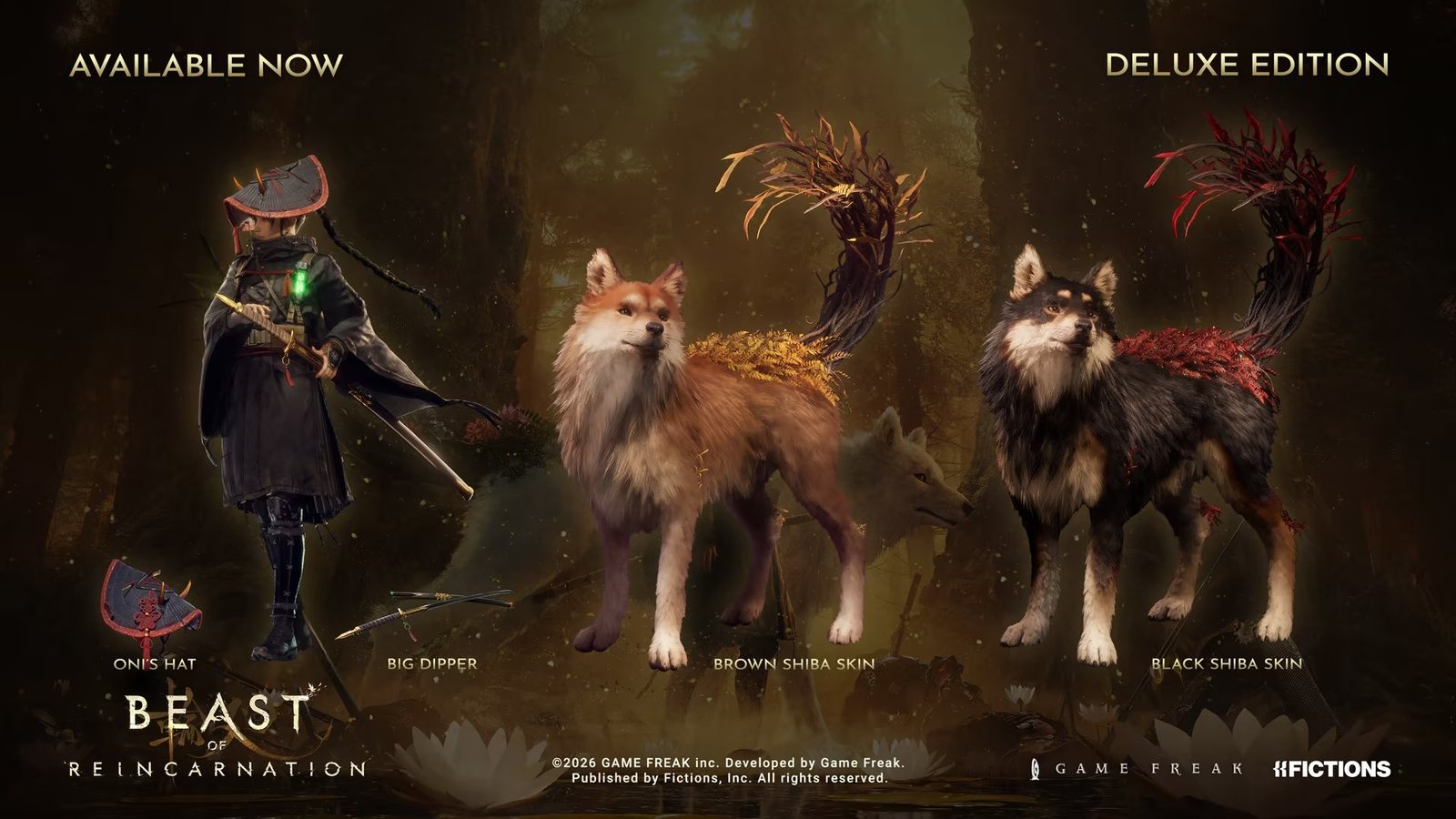
Where to Change Outfits and Skins
- Return to the Cleanse Walker (your mobile base).
- Interact with the bed.
- Open the Special Content menu.
- Pick cosmetics for Emma or a skin for Koo.
If the menu isn’t showing Koo’s skins, you likely haven’t finished the opening flashback yet — the option unlocks after it. The list also only shows skins you actually own.
Every Known Cosmetic
| Cosmetic | Character | How to Get |
|---|---|---|
| Purifier’s Garb | Emma | Default outfit |
| Oni’s Hat | Emma | Deluxe Edition |
| Brown Shiba Skin | Koo | Included with the Standard Edition (with 30,000 Amber) |
| Black Shiba Skin | Koo | Deluxe Edition |
Cosmetics vs Armor — Know the Difference
Skins are purely visual. Emma’s actual outfits are armor: they carry defense values and Spirit Stone capacity, so “changing clothes” for looks and swapping armor for stats are two different systems. Armor comes from progression and vendors — the edition cosmetics never affect combat.
Skins Now Show in Cutscenes (Patch 1.0.11)
Until September 8, 2026, the edition cosmetics had a limit nobody advertised: they showed in gameplay and dropped out of every cutscene, where Emma and Koo reverted to their defaults. Game Freak put it on the 1.0.10 roadmap and shipped it one patch later — the 1.0.11 notes list “Enabled Emma and Koo’s alternative skins and cosmetic items to be visible during cutscenes.” So the Oni’s Hat, Big Dipper and the Shiba skins now carry through cinematics. If yours still vanish, check the game is on 1.0.11 (PS5 1.009) before anything else; the patch notes page has the full list.
Troubleshooting Missing Skins
- PS5 physical Deluxe: the cosmetics come as a voucher code — redeem it on your account first.
- Check the account: DLC must be installed on the same account that’s playing.
- Wondering what else is in the Deluxe Edition? Full contents in the editions comparison.
Are There Unlockable Outfits In-Game?
Unknown so far. No source has documented post-launch or late-game cosmetic unlocks beyond the edition items above, and players are asking the same question on Steam forums. We’ll update this page once late-game unlocks are confirmed either way.